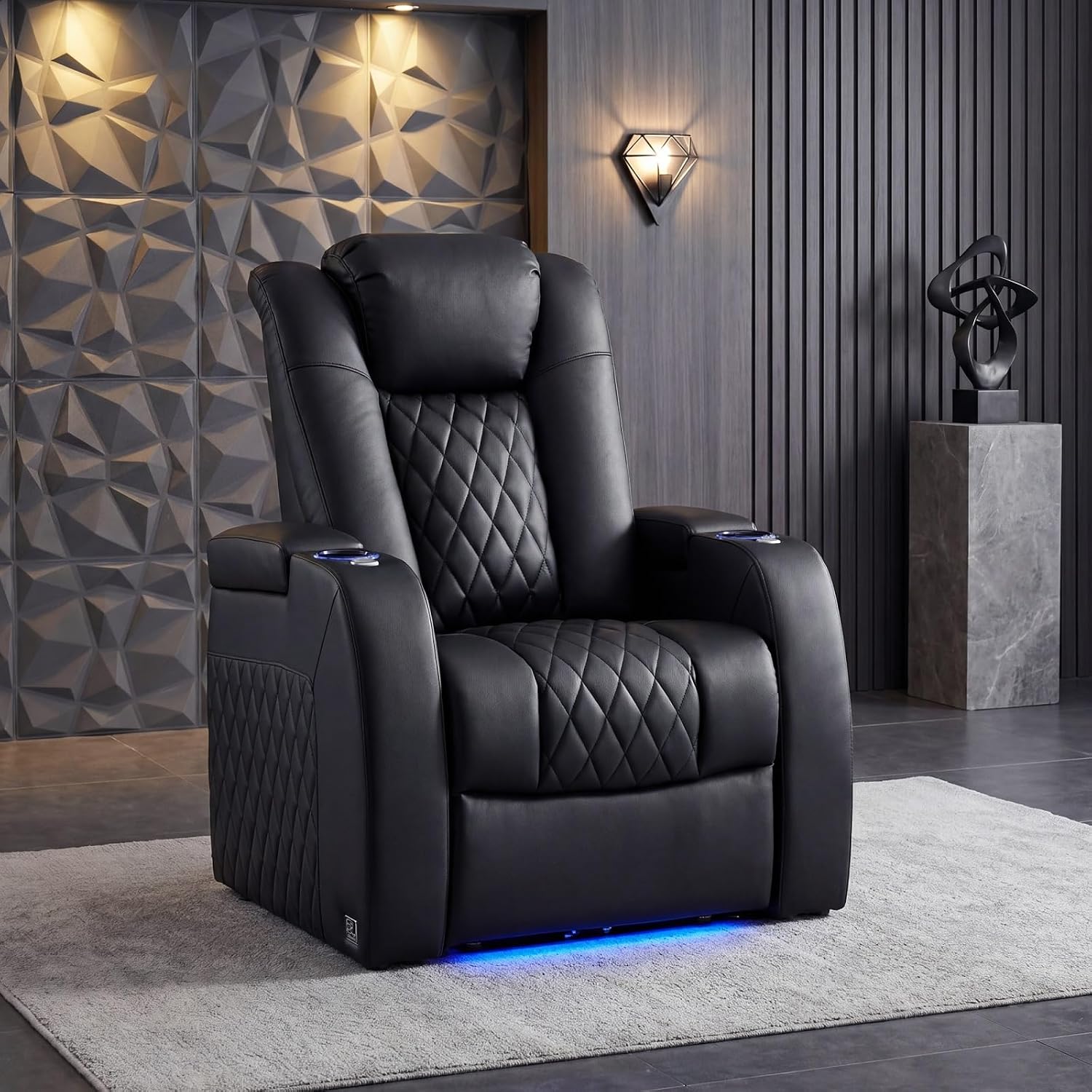
If you’ve been browsing home theater seating lately, you’ve probably noticed that chairs are starting to look a lot more like gadgets. What used to be a simple power recliner — a seat that tilts back at the push of a button — now comes with USB-C charging ports built into the armrest, LED accent strips running along the base, wireless charging pads, and even app-controlled lighting scenes. “Power recliner” just means a chair whose footrest and backrest move electrically rather than by a manual lever; “home theater seating” refers to recliners designed to be arranged in rows or paired sets for a dedicated screening room. These are seats in the $1,500–$4,000-per-seat range, so every optional feature package that adds $150–$400 to the sticker deserves real scrutiny. This guide breaks down which of the new tech integrations are genuinely useful across a multi-seat row, which are marketing novelties, and how to make the call for your specific room and budget.
| EDITOR'S PICK[comfiroom Leather Home Theater…](https://www.amazon.com/dp/B0DBP63L33?tag=greenflower20-20) | Mid-tier[Weilianda Home Theater Seating…](https://www.amazon.com/dp/B0BN3MR1MT?tag=greenflower20-20) | Budget pick[MCombo Genuine Leather Power Re…](https://www.amazon.com/dp/B0GVYFLH5C?tag=greenflower20-20) | |
|---|---|---|---|
| Material | Leather | Top Grain Leather | Genuine Leather |
| USB-C Port | ✓ | ✗ | ✓ |
| Mood Light | — | ✓ | — |
| Zero Gravity | — | ✓ | — |
| Tray Table | — | ✓ | — |
| Price | $1,614.05 | $649.00 | $629.99 |
| See on Amazon → | See on Amazon → | See on Amazon → |
The Feature Landscape in 2026: What’s Actually on Offer
The home theater seating market has consolidated around four or five meaningful tech additions since 2023. Understanding what each one actually does — beneath the marketing language — is the first step to pricing them correctly.
Power-adjustable headrests. Distinct from the main recline mechanism, these let you tilt the headrest forward independently so your neck isn’t craning at a screen. Palliser’s Pinnacle and Fortress’s Cinema series both spec this as either standard or a low-cost add-on (typically $80–$120 per seat). Owners on AVS Forum’s home theater seating threads consistently flag this as one of the most practically valuable upgrades, especially for longer viewing sessions where neck fatigue sets in around the 90-minute mark.
USB-A vs. USB-C charging. This is where many buyers are currently mid-decision. USB-A ports (the rectangular ones on older chargers) have been standard in theater seating for several years. USB-C Power Delivery (PD) — the oval port that can charge a laptop, push 45–100 watts, and fast-charge a modern smartphone — is the new addition. Manufacturers including Valencia Seating and Octane Seating added USB-C PD to select 2024–2025 model refreshes. The upcharge for USB-C PD over USB-A varies by brand, but commonly runs $50–$150 per seat when bundled into a tech package.
LED accent and base lighting. Usually sold as an “ambient lighting package,” this places LED strips along the seat base, sometimes the headrest wings, and occasionally behind a row riser platform. Lighting is typically adjustable in color temperature and brightness via a wired controller or a companion app. The Architectural Digest guide to home theater room design notes that indirect bias lighting — light that glows around the perimeter of a screen or seating area — has a documented effect on perceived contrast and eye comfort during viewing, which gives the category some functional grounding beyond pure aesthetics.
Wireless (Qi/Qi2) charging pads. Integrated into the armrest surface, these are appearing on premium configurations from Palliser and a few Octane tiers. The convenience case is obvious; the caveat is that Qi2 pad placement in a thick leather armrest can produce alignment issues for phones with non-centered coils. Owners in aggregated reviews report hit-or-miss reliability depending on exact phone placement.
Tray tables, storage consoles, and cupholder cooling. Less “tech” and more “furniture engineering,” but worth naming: some configurations include powered or motorized tray deployment and chilled cupholder inserts (small thermoelectric modules). These add mechanical complexity that affects long-term reliability — a point we’ll return to.
By the Numbers: Typical Upcharge Tiers (Per Seat, 2025–2026 Model Year)
| Feature | Typical Add-on Cost | Practical Tier |
|---|---|---|
| Power headrest | $80–$120/seat | Worth it for rows 3+ seats |
| USB-C PD (45W+) over USB-A | $50–$150/seat | Worth it if buying 2026 forward |
| LED ambient lighting package | $120–$250/seat | Conditional (see below) |
| Wireless Qi2 charging pad | $100–$200/seat | Conditional |
| Chilled cupholders | $200–$400/seat | Hard to justify |
Figures compiled from published brand configuration pricing and dealer quotes across Palliser, Valencia, Octane, and Fortress as of early 2026. Individual dealer pricing varies.
The Decision Frame: Which Upgrades Actually Earn Their Keep
Here’s the honest practitioner read on each category, stated plainly.
USB-C PD: Yes, If You’re Buying Now
If you’re placing an order today, specify USB-C Power Delivery wherever the option exists. The math is simple: USB-A tops out at 12 watts for charging, which barely keeps a modern flagship phone at standby while you’re using it. USB-C PD at 45 watts charges the same phone from 20% to 80% in about an hour, and can meaningfully charge a tablet during a two-hour film. Given that most households have already migrated primary devices to USB-C, the USB-A port is already a legacy connection.
The $50–$150 per-seat upcharge is the easiest call in this guide. CNET’s home theater seating buying guide flags USB-C integration as one of the few tech features that “adds daily functional value rather than novelty,” and owner reports across major seating forums back that assessment consistently.
The one nuance: verify the wattage spec. “USB-C” without a stated wattage is often a 5V/3A = 15W implementation that’s marginally better than USB-A but not the fast-charging experience you’re expecting. Ask your dealer or the manufacturer’s spec sheet for the PD wattage ceiling before ordering.
LED Lighting: Conditional on Your Room Design
LED accent packages are worth the upcharge in a dedicated, light-controlled screening room. They’re questionable in a living room that also functions as general-purpose space.
The functional case for bias lighting in home theaters is well-established — the Architectural Digest home theater design feature cites it as a standard professional recommendation for reducing eye strain during extended viewing — but the implementation details matter. A fixed-color warm-white LED strip along the seat base adds genuine ambiance and serves as practical floor-level pathway lighting when the room goes dark. RGB lighting that cycles through colors or syncs to on-screen content is almost universally described by long-term owners as a novelty that gets switched off within a few months.
The Spruce’s best home theater chairs overview notes that lighting packages “add to the experience without being essential,” which is a fair summary: they’re worth paying for once you’ve already allocated budget for the functional upgrades (power headrest, USB-C), but they shouldn’t jump ahead in priority.
One practical note: if your room uses a dedicated riser platform for a second row, coordinate the seat LED color temperature with any riser-integrated lighting before ordering. Mismatched color temperatures are one of the most common installation regrets AVS Forum members report in post-purchase threads.
Wireless Charging: Not Yet
Wireless charging pads in armrests are the feature that looks best in a showroom and creates the most friction in actual use. The physics aren’t dramatic: Qi2 requires fairly precise coil alignment, and an armrest is not a flat wireless charging pad. You rest your arm on it at an angle. Your phone sits at an angle. The coils miss.
Forbes Home’s best home theater seating roundup describes wireless charging as an “aspirational feature” in current-generation seats, noting that the implementation “works best when you’re deliberately placing the phone rather than setting it down casually.” That’s a real limitation for a feature you’re paying $100–$200 per seat for.
The recommendation here: skip it in the current product cycle. The USB-C PD port will charge your phone faster and more reliably. Revisit wireless charging when seat manufacturers move to flush, recessed pad designs with wider-field coils — that engineering is not yet standard.
Chilled Cupholders: Skip It
Thermoelectric cupholder cooling sounds genuinely appealing until you learn what it actually does. Thermoelectric modules — the technology in most seat-integrated coolers — typically reduce the temperature inside a sealed cupholder by 15–20°F below ambient, which means in a 72°F room, your drink reaches about 52–57°F. That keeps an already-cold drink cool but won’t meaningfully chill a room-temperature beverage.
Add mechanical complexity, a small fan (some owners report audible fan noise during quiet film passages), and a $200–$400 per-seat premium, and the value math collapses quickly. Owners in long-run AVS Forum threads consistently describe chilled cupholders as the feature “that sounded great but I never use.” The dedicated home bar or mini-fridge at the back of the room does the job better.
Row Configuration and Feature Consistency
One underappreciated trap in multi-seat row buying: not all features are available across every seat position in a configured row. Consult positions carefully.
In a standard three-seat row, the center console seat (which typically lacks independent recline in some configurations) may not include the same USB-C or lighting spec as the two flanking power seats. Palliser’s row configurator, for example, distinguishes between “power seats” and “console/loveseat” positions with different feature availability. Valencia’s Tuscany series handles this more uniformly, with consistent USB-C specs across seat types — something that shows up favorably in Forbes Home’s roundup comparisons.
If you’re specifying a four- or six-seat row for a dedicated room, get written confirmation from your dealer on feature parity per seat position before signing. This is one of the most common sources of post-delivery frustration cited in owner forums.
The Decision Rules
If you’re mid-negotiation or about to place an order, here’s the simplified framework:
If you’re buying any new row today: Specify USB-C PD with a confirmed 45W+ wattage floor. No exceptions — it’s the one upgrade with a clear, durable use case and modest cost.
If you have a dedicated, light-controlled screening room: Add the LED ambient package. Spend a few minutes verifying color temperature will coordinate with your room’s other lighting. Skip RGB/dynamic modes — you won’t use them.
If you’re considering wireless charging: Don’t pay for it in this product generation. Use the per-seat savings toward power headrests, which deliver more daily value per dollar.
If chilled cupholders are in your quote: Remove them and spend the savings elsewhere, or negotiate a lower-per-seat price if the dealer has them bundled as a package.
If you’re configuring a multi-seat row: Get written feature specs per seat position, not just per “row.” The center console position is where feature limitations are most likely to hide.
The home theater seating market is in an active feature-expansion cycle right now, which means some genuinely useful technology is arriving alongside a fair amount of expensive noise. The seats that will hold their value — in both performance and your actual enjoyment of them — are the ones where the power and charging functions are specced correctly, the lighting serves the room rather than performing for the showroom, and the mechanical complexity is kept to what actually gets used. That’s still a very good chair.