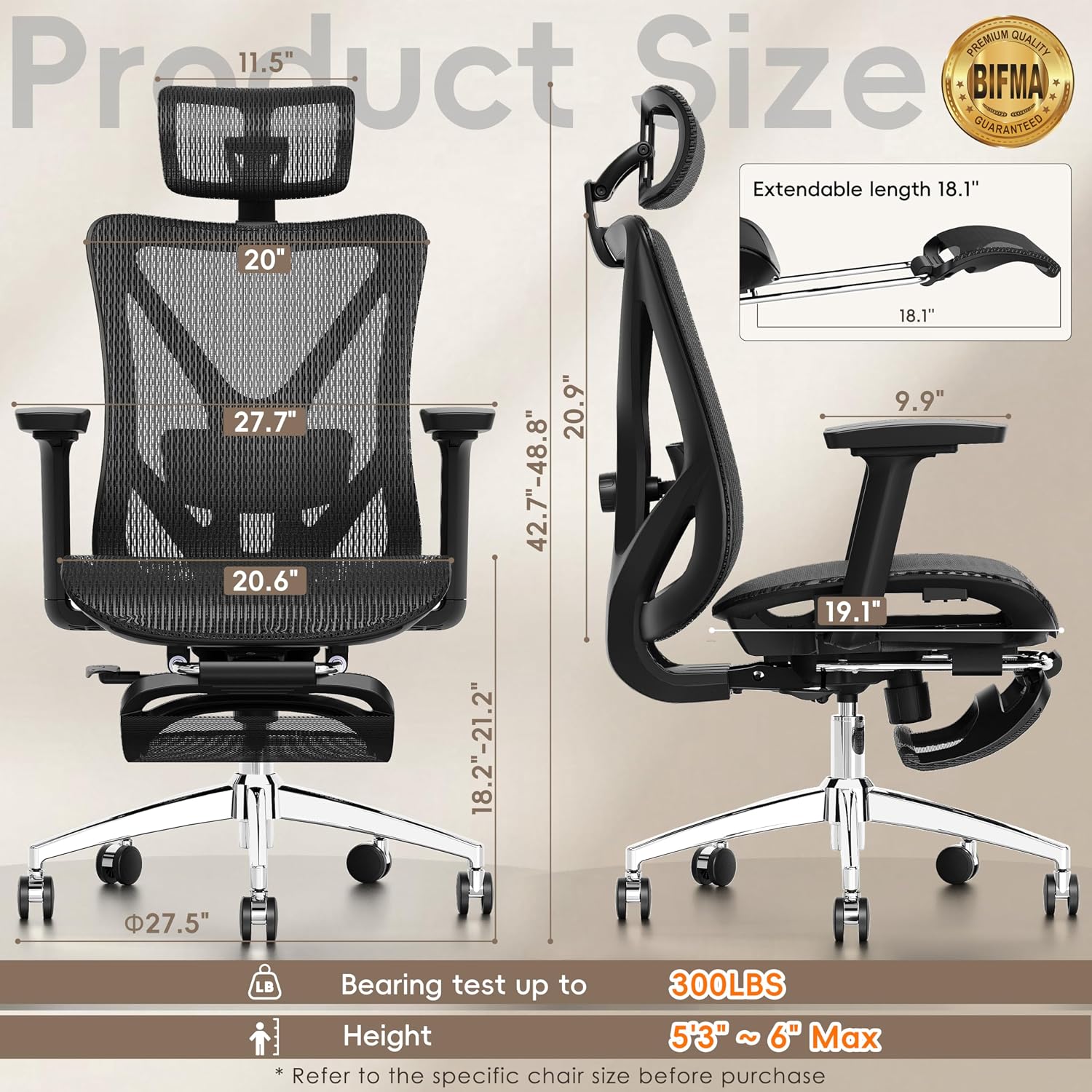
If you’ve ever watched someone tip their expensive desk chair back at a steep angle—legs in the air, laptop balanced on their stomach—and wondered whether that actually helps their back or just looks comfortable, you’re asking exactly the right question. An ergonomic desk chair (one designed to support your spine during long seated work sessions) can absolutely benefit from a footrest (a platform that supports your feet and lower legs when the seat height is raised or the chair reclines). But “can benefit” isn’t the same as “always does.” The geometry matters enormously, and getting it wrong means spending money on a setup that either does nothing useful or actively works against your posture. This guide walks through the recline-angle math, identifies who genuinely gains from a footrest in a desk-chair context, and gives you a clear decision framework for your current buying decision.
The Recline-Angle Baseline: What the Numbers Actually Mean
Start here: when ergonomists talk about recline angle, they mean the angle between your torso (upper body) and your thighs. Sitting bolt-upright is roughly 90 degrees. Reclining opens that angle—110 degrees, 120 degrees, 135 degrees.
Why does this matter for disc pressure? The Cornell University Ergonomics Web research on sitting and chair design documents that lumbar disc pressure is not lowest at 90 degrees—it’s actually lower at more open trunk-to-thigh angles, because the pelvis tilts back into a more neutral position and the spinal muscles don’t have to work as hard to hold you upright. The practical sweet spot for sustained desk work, per OSHA’s Computer Workstations eTool on chair guidelines, is somewhere between 100 and 110 degrees of trunk-to-thigh angle. That’s a slight recline—enough to unload the lumbar discs without sliding your pelvis forward into a slouch.
By the numbers:
| Trunk-to-Thigh Angle | Posture Context | Footrest Typically Needed? |
|---|---|---|
| 90° | Upright, traditional | No — if seat height is correct |
| 100–110° | Slight recline, desk work sweet spot | Sometimes — depends on seat height |
| 120–135° | Deep recline, reading/focus mode | Almost always yes |
| 135°+ | Near-recumbent, break posture | Yes, and a different chair class |
The Steelcase Global Posture Study from 2011 documented nine distinct working postures that knowledge workers actually adopt throughout a day—including reclined postures they called “multi-tasking” and “taking a break.” The finding was that postural variation, not any single perfect angle, is what reduces cumulative strain. That’s the real argument for a chair that can move through a range.
When a Footrest Earns Its Place (and When It Doesn’t)
Here’s the tradeoff most buyers miss: a footrest isn’t a universal upgrade. It’s a compensation mechanism. Understanding what it’s compensating for determines whether you need one.
Scenario 1: Short stature and fixed-height desks. If you’re 5’2” and your desk is at a fixed height of 29–30 inches (still the standard for most non-adjustable surfaces), you’ve probably already hit this wall. Getting your desk surface at elbow height requires raising your seat higher than is ideal for your feet to rest flat on the floor. A footrest solves this directly and cleanly. This is the clearest, most unambiguous use case.
Scenario 2: Recline-and-work setups. As the recline angle opens past 100–110 degrees, your thighs angle downward and your feet can lose contact with the floor. At 120 degrees of recline on a seat that’s set at the right height for upright work, your feet are likely hovering. A footrest restores the closed kinetic chain (the connection from your seat through your thighs and feet back to the floor) that prevents your lower legs from pulling on your hips. Without it, a deep recline creates tension in the hip flexors that cancels out some of the disc pressure relief you were trying to get.
Scenario 3: Chairs with dynamic recline mechanisms. This is where it gets interesting for practitioners. Chairs like the Herman Miller Aeron (with its PostureFit SL sacral and lumbar support) and the Humanscale Freedom (with its body-weight-counterbalanced recline) are designed to recline with you—the seat and back move in a coordinated ratio so the hip angle stays more consistent than it would on a chair with a simple pivot. Humanscale’s published documentation on the Freedom Chair describes this as allowing the user to recline without sliding forward in the seat. On these chairs, the footrest need is genuinely reduced at moderate recline angles because the mechanism maintains pelvic position. On cheaper chairs with single-pivot recline, the seat stays flat while only the back tilts, which does dump your pelvis forward and does increase the need for a footrest.
Scenario 4: Standing-desk converters and active-height users. If you’re using a sit-stand desk and regularly working at heights above your standard seated position—common if you alternate between sitting and perching—a footrest becomes a practical tool for transitioning postures rather than a pure ergonomic fix.
Where footrests don’t help: If your chair height and desk height are already correctly matched and you’re working at 90–105 degrees of recline, adding a footrest typically doesn’t improve posture—it just adds an obstacle. Owners of entry-level footrests consistently report that at shallow reclines, the footrest ends up pushed aside within a week.
Chair Mechanics to Check Before You Buy
If you’re evaluating a chair purchase with footrest integration in mind, these are the spec questions that separate useful configurations from expensive decoration.
Seat-pan depth and tilt. A seat that’s too deep (front edge pressing into the back of your knees) worsens when you recline because you’re forced to perch forward. Look for chairs with adjustable seat depth or a waterfall edge. The Steelcase Leap V2 gets consistent high marks in aggregated reviews for its seat-depth adjustment range; owners frequently cite this as the feature that made the chair workable for shorter and longer leg lengths alike.
Recline range and lockout positions. Many chairs advertise “recline” but lock at a single angle or require aggressive tension adjustment. For the footrest use case, you want at least two lockable positions: one for active keyboard work, one for reading/focus mode. Check the spec sheet for lockable tilt positions, not just “tilt range.”
Lumbar support behavior during recline. Fixed lumbar pads don’t move as you recline—which means the pad that hit your L4-L5 vertebrae at 90 degrees is now hitting your L3-L4 at 120 degrees. Dynamic lumbar supports (like the Aeron’s PostureFit SL or the Leap’s LiveBack) follow spinal movement. This matters because a misaligned lumbar pad actively increases local disc pressure rather than reducing it.
Footrest compatibility. Freestanding footrests are adjustable and work with any chair. Chair-mounted footrests (rarer, appearing on some executive recliners that blur the line between task chair and lounge chair) require the chair’s base geometry to be compatible. Confirm attachment points before committing.
The Decision Framework: If X, Then Y
This is the part worth spending time with before you close the browser.
If you’re under 5’5” and working at a non-adjustable desk: A footrest is close to mandatory regardless of which chair you buy. The geometry makes floor contact difficult at the seat heights required by most fixed surfaces. This is not a luxury add-on; it’s a functional requirement. Budget $50–$150 for an adjustable-height footrest with a tilt range (not a fixed-angle block).
If you’re buying a chair primarily for 90–105° desk work: Skip the footrest until you’ve lived in the chair for a week. The majority of buyers in this recline range don’t need one. Spend the budget on seat-depth adjustment or better lumbar calibration instead.
If your chair has a single-pivot recline (back tilts, seat stays flat): Either add a footrest when reclining past 110 degrees, or set the chair recline limiter to keep you in the 100–105° range and don’t recline past it for desk work. Single-pivot recline past 110 degrees without a footrest creates hip-flexor tension that negates the disc-pressure benefit—you’re getting the discomfort of both postures without the benefit of either.
If you’re considering a chair with dynamic recline (Aeron, Leap V2, Humanscale Freedom, Haworth Fern): These chairs are engineered to maintain pelvic position through a coordinated seat-and-back movement. Per published specs on all four platforms, the effective hip angle change during moderate recline is significantly smaller than on a single-pivot chair. You may not need a footrest at all until recline exceeds 120 degrees. Test at maximum recline before adding a footrest to the order.
If your use case is split between desk work and reading/focus mode at deep recline (120°+): Plan for a footrest as part of the initial setup, not an afterthought. The British Journal of Sports Medicine research by Buckley et al. (2015) on sitting time and postural variation found that breaking up seated time with genuine postural change—not just micro-shifts—is what reduces musculoskeletal strain accumulation. A properly supported deep-recline posture is a legitimate postural break. Do it right or don’t do it.
On budget: You don’t need to spend heavily here. A well-reviewed adjustable footrest in the $60–$120 range covers the functional need for most users. The expensive footrests ($200+) typically add materials quality and wider platform surfaces—worth it for frequent use, marginal for occasional use. The chair itself is the investment; the footrest is the support actor.
The bottom line is that footrests are not universally beneficial or universally unnecessary—they’re geometrically contingent. Match the tool to the angle, account for your chair’s recline mechanism, and you’ve got a setup that earns every inch of floor space it occupies. Get it wrong in either direction and you’re either leaving ergonomic value on the table or adding clutter to solve a problem that doesn’t exist at your recline angle. The math is straightforward once you measure it.